INTRODUCTION:
- Shodan is a search engine that allows you to look for devices connected to the internet using service banners.
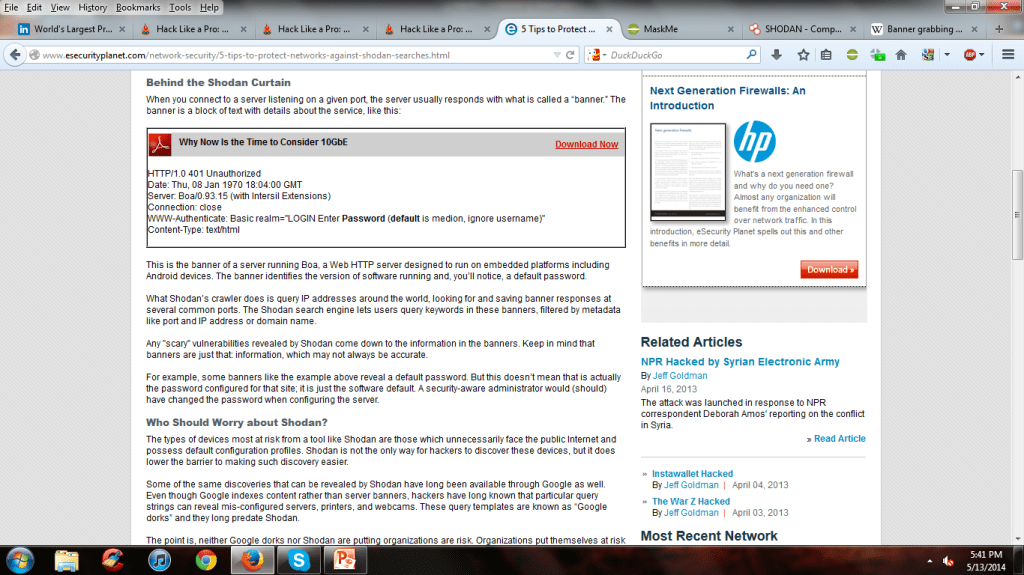
- When you connect to a server listening on a given port, the server (usually) responds with a service banner.
- Service Banner: A block of text about the given service being performed.
INSTALLATION:
- First create an account on shodan.io.
- To use command line interface , kali linux is needed.
- Steps for installation of CLI : (Make sure you have python installed on your kali linux)
To install python :
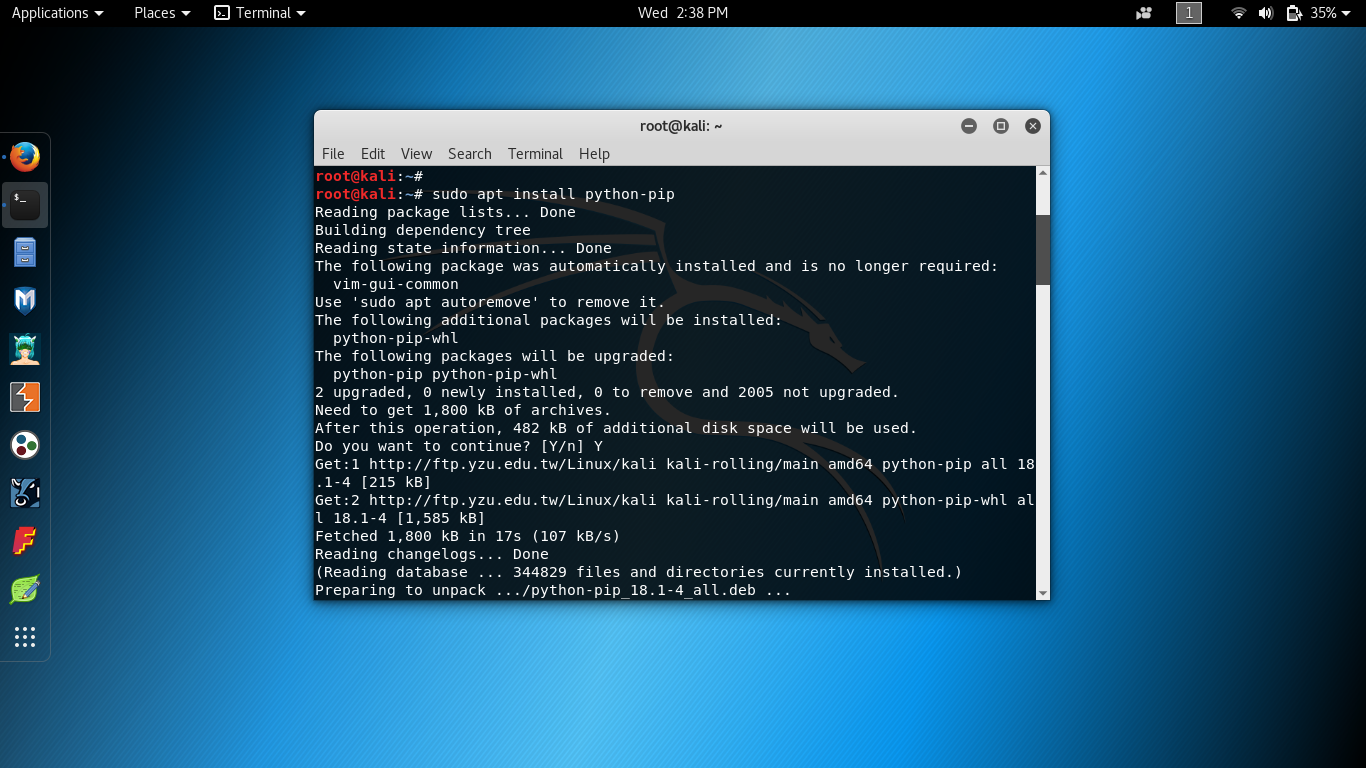
$
sudo apt install python-pip
- Install shodan
$ easy_install shodan
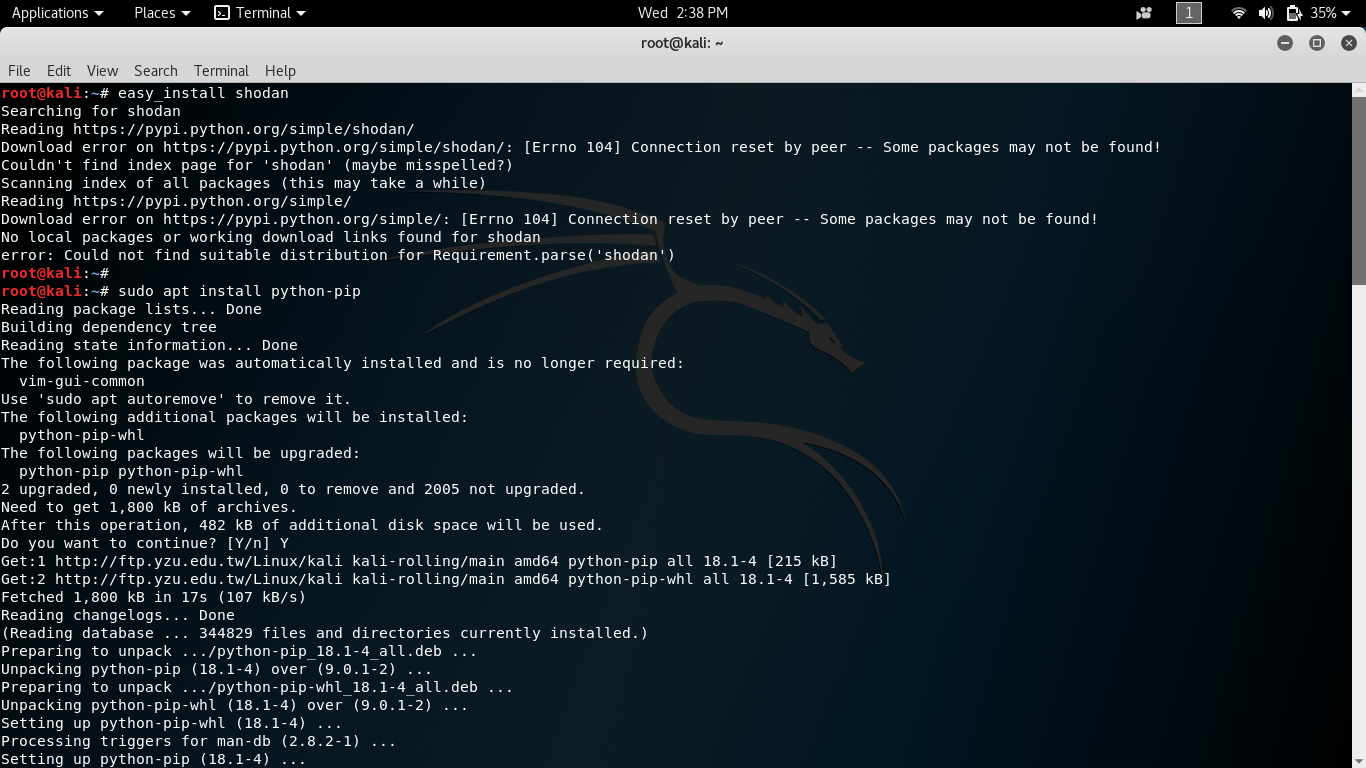
- Check whether shodan is installed or not.
$ shodan

- Enter the API key obtained from shodan.io.
$ shodan init api_key

WORKING:
- Shodan uses a technique called “Banner Grabbing”
- Banner Grabbing is an enumeration technique used to glean information about computer systems on a network and the services running its open ports.
- Indexes banners instead of web content
- Admins can use it to keep tabs on the services and systems on their networks
- Hackers can use it to expose potential targets
Potential targets :
- Routers
- Webcams
- SCADA systems
- Traffic Lights
Service Banner Example
APPLICATION:
- Shodan has similar features and functionality to other search engines, but the searches are quite different
- Check out “popular searches” for some starting tips
- You can filter by banner type, port, OS, country, latitude/longitude, etc.
- Example: cisco country:IN port:5060 net:125.63.65.0/24

Posted By:
1.Ayare Aditya Nagesh
2.Mane Sachin Sanjay
3.Mane Sagar Vijay
 shodan